Keys and dials
Energy Price key
Section titled “Energy Price key”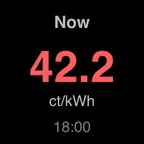
| Setting | Options |
|---|---|
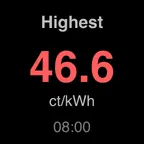
| Show | Price now · Next quarter-hour · Lowest of the day · Highest of the day · Average of the day |
| Day | Today · Tomorrow. Applies to lowest, highest and average. |
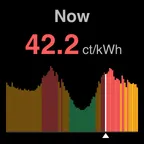
Press the key to switch between the figure and a chart of the day. In the chart, past quarter-hours are dimmed, the selected one is white and a small marker shows now.
The figure’s colour tells you where it sits in the day: green for the cheapest third, amber for the middle and red for the most expensive third.
Energy Prices dial (Stream Deck +)
Section titled “Energy Prices dial (Stream Deck +)”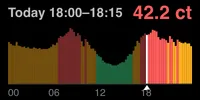
| Control | What it does |
|---|---|
| Rotate | Move through the day by quarter-hour. Past midnight it continues into tomorrow, once those prices are known. |
| Press and rotate | Move by the hour. |
| Press | Back to now. |
| Tap the touch strip | Switch between today and tomorrow. |
| Setting | Options |
|---|---|
| Link | Join neighbouring dials that have Link on into one wide chart. |
| Start on | Today · Tomorrow (when published). The day shown after a press. |
Linked dials
Section titled “Linked dials”Turn on Link for two or more dials next to each other. They share one chart, and the rightmost dial shows how the selected price adds up: market price, purchase fee, energy tax and VAT. Rotate any of them to move through the day.
